Borrow
Borrowing on third-party protocols through WLFI Markets allows you to access liquidity without selling your assets. Use your supplied collateral to borrow other assets while your collateral continues to earn rewards. This guide walks you through the complete process of borrowing on WLFI Markets.
Overview
When you borrow using the WLFI Markets interface:
Access liquidity: Get funds without selling your holdings
Keep earning: Your supplied collateral continues to earn rewards while being used
Flexible use: Borrowed assets are sent directly to your wallet for any purpose
Borrow rate: You'll pay a borrow rate on the amount borrowed until repaid
How borrowing works
Collateral
At a high level, borrowing is performed by putting up collateral for a loan, and then assets are borrowed against that collateral. Your collateral is used to ensure lenders get repaid in the case that a loan isn't repaid. So if you borrow $100 of ETH, there needs to be enough collateral supplied so that lenders can always be repaid that $100 of ETH.
Unlike some protocols where you need to explicitly enable collateral, WLFI Markets automatically uses your supplied assets as collateral. Your collateral continues earning rewards even while being used to secure borrows.
Liquidation
Liquidation is what occurs when the value of your collateral becomes too low compared to the amount borrowed. Generally this will happen when the value of your collateral drops too low, or the value of the assets borrowed gets too high.
For example, if you supply $100 of USD1 as collateral and borrow $60 of ETH, your position is well collateralized. But if the price of ETH were to double, the value of what you owe would be $120, meaning that your $100 of collateral would be insufficient to repay lenders. That is why the position would be liquidated before reaching that point, converting your USD1 to ETH and repaying the ETH lenders that supplied your borrowing. Liquidation occurs when your collateral ratio drops below 1.
When liquidated, enough of the collateral is sold to repay lenders, plus a liquidation penalty which is paid out to the protocol to disincentivize risky positions.
Collateral ratio
Your collateral ratio is a representation of how much collateral you have compared to how much you are borrowing. This takes into account a buffer called a liquidation threshold to make sure that lenders can be repaid even in turbulent market conditions.
For example, if you have $100 of USD1 as collateral and are borrowing ETH, the liquidation won't occur when the ETH is also worth $100, since converting your USD1 to ETH in order to repay lenders may result in getting less than $100, leaving lenders without reimbursement. Each asset has a different liquidation threshold based on the risk associated with liquidating that asset.
A higher ratio means a safer position:
High ratio (e.g., 5+): Safe position with plenty of collateral buffer
Low ratio (e.g., 1-2): Risky position close to liquidation threshold
Below 1: Position is at risk of liquidation
Same-Asset Restriction: You cannot borrow an asset that you've already supplied as collateral. For example, if you supply USD1, you cannot borrow USD1. This ensures the integrity of the lending pool.
Understanding asset information
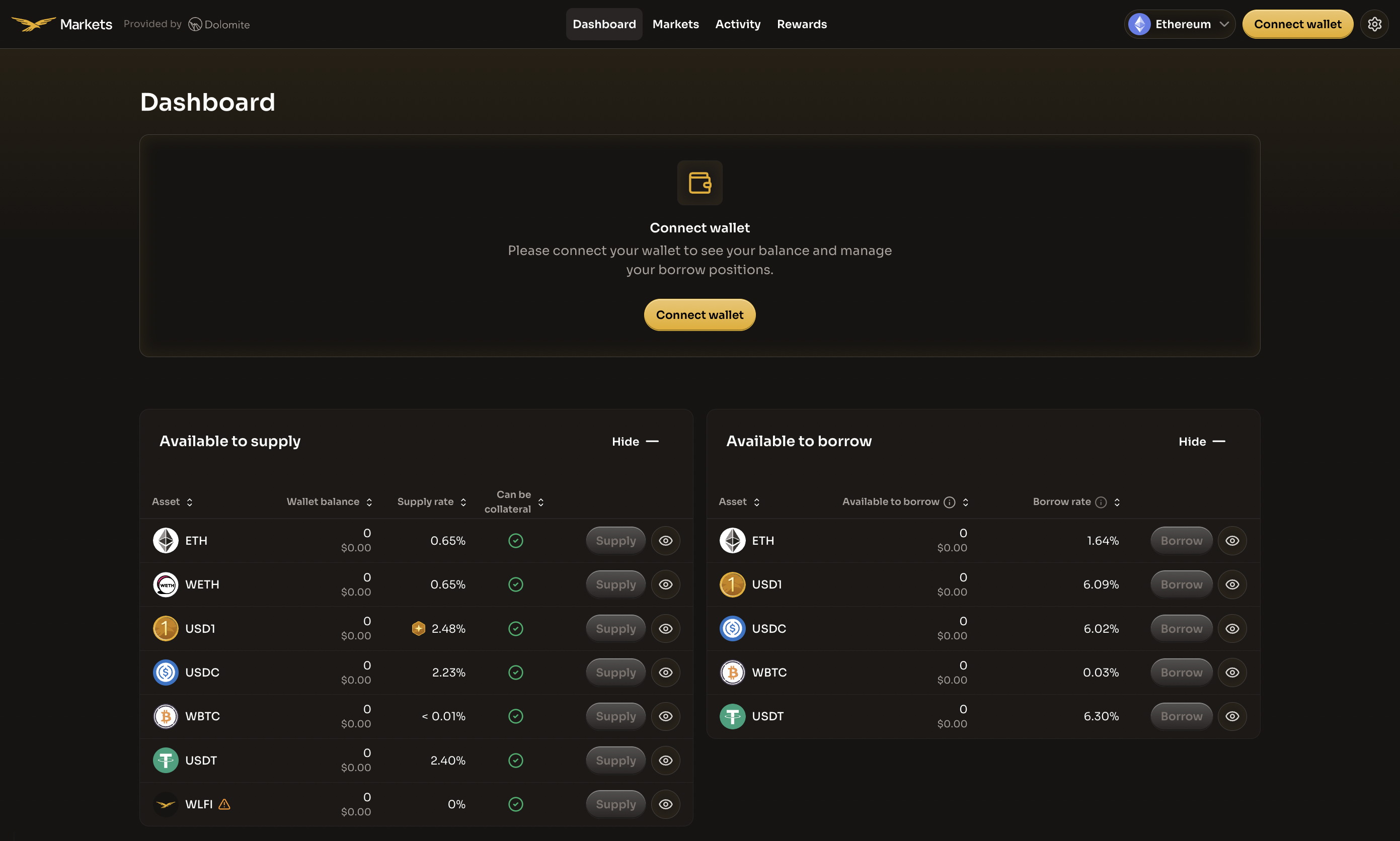
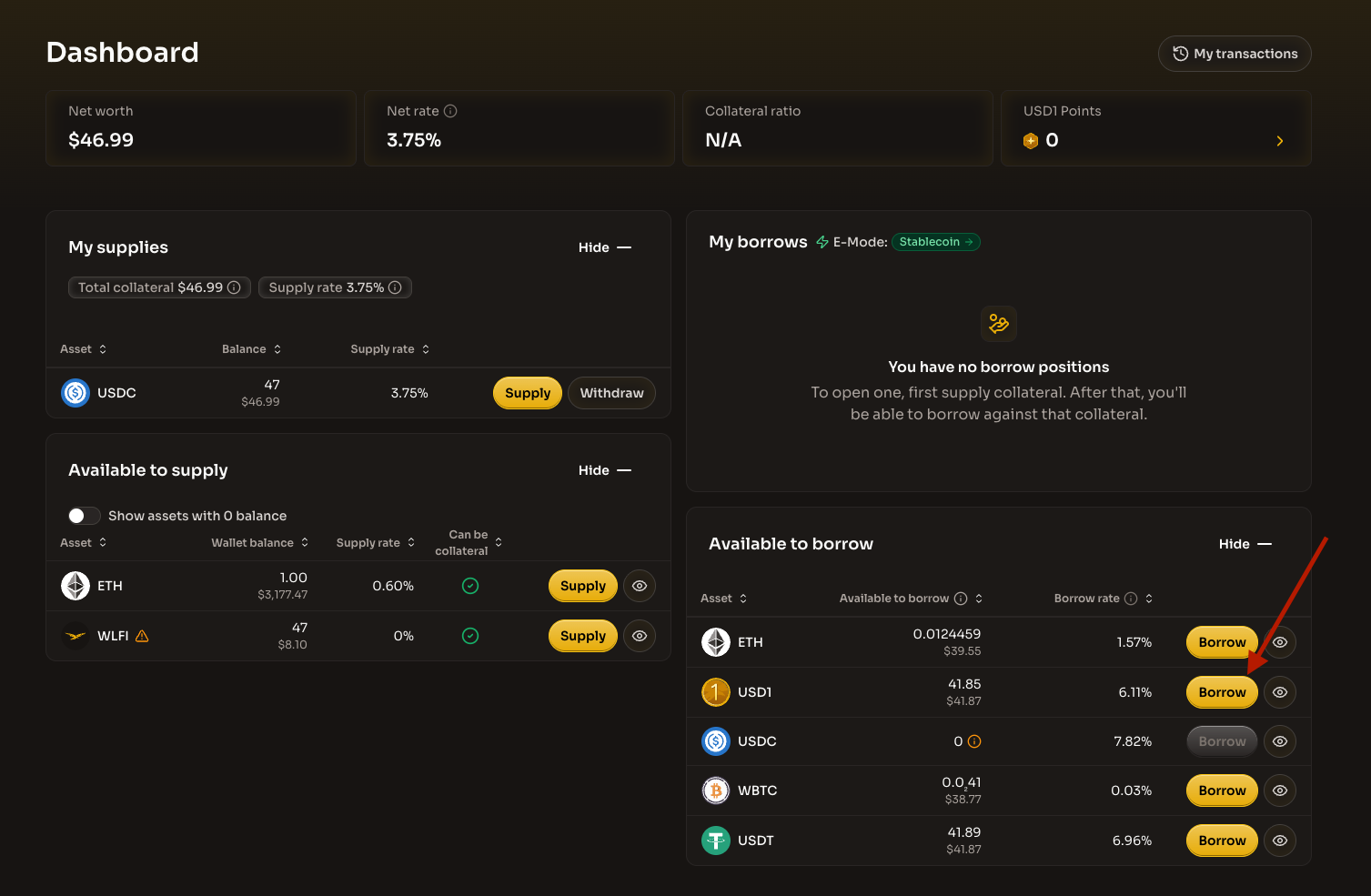
The Available to borrow section on the dashboard shows which assets you can borrow and the maximum amount available for each asset based on your collateral.
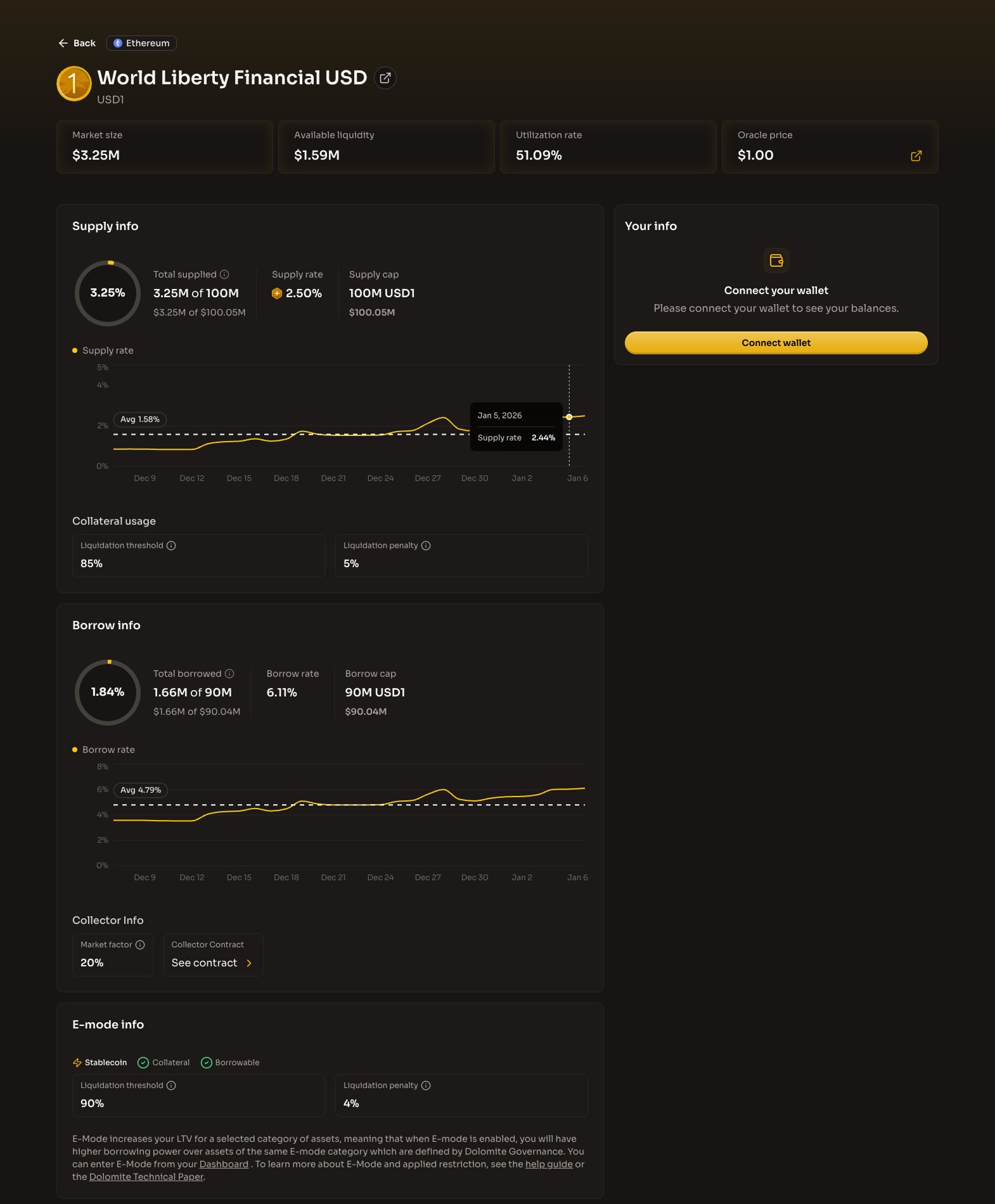
For detailed information about each asset, visit the market-specific page by clicking on an asset. There you'll find the following metrics to help you make informed borrowing decisions:

Key Metrics
Total supplied
The total amount being supplied for the selected asset across all users
Total borrowed
The amount of that asset being borrowed across all positions from all users
Available liquidity
The difference between total supplied and total borrowed, representing assets available for borrowing or withdrawal
Utilization rate
The percentage of total supply currently being borrowed. Higher utilization means higher borrow rates
Oracle price
The price used to value assets, supplied by Chainlink oracles based on prices across many exchanges
Liquidation threshold
The maximum amount relative to your collateral that can be borrowed before liquidation
Liquidation penalty
The penalty paid when a position is liquidated, used to disincentivize risky positions
E-Mode
Efficiency mode category for the asset, enabling higher borrowing power when borrowing correlated assets
Utilization and rates
The utilization rate directly affects both supply and borrow rates:
High utilization: Higher borrow rates (more demand for the asset)
Low utilization: Lower borrow rates (less demand for the asset)
This mechanism balances supply and demand in the lending pool.
Collateral-only assets
Some assets may be marked as "Collateral Only" and are not available for borrowing. These assets can only be supplied as collateral.
Prerequisites
Before borrowing, ensure you have:
Assets already supplied as collateral (see Supply Guide)
ETH in your wallet to cover gas fees for the transaction
Your wallet connected to the Ethereum network
Important: Borrowing carries risk. If your collateral value drops or your debt increases, you may face liquidation. Only borrow what you can safely manage.
Step 1: Navigate to the dashboard
Visit the WLFI Markets application and navigate to the Dashboard page. You can access it directly by clicking "Dashboard" in the top navigation bar.
Before connecting your wallet, you'll see the available assets to supply and borrow, along with their current rates.

Step 2: Connect your wallet
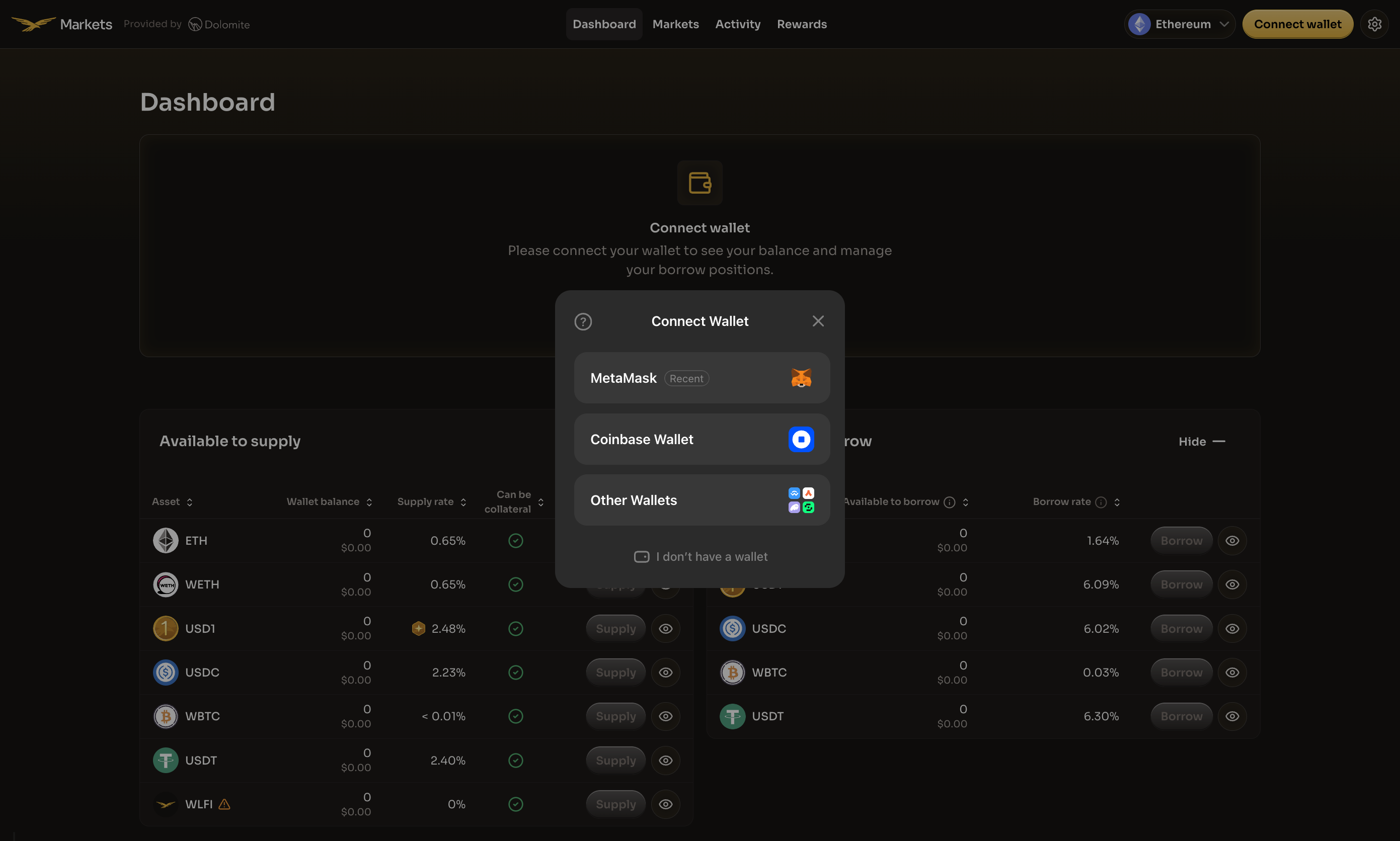
Click the Connect wallet button in the center of the page or in the top-right corner of the navigation bar. A modal will appear with a list of supported wallet providers.
Select your preferred wallet from the available options.

Make sure to connect the same wallet you used to supply assets. Your supplied positions are tied to your wallet address.
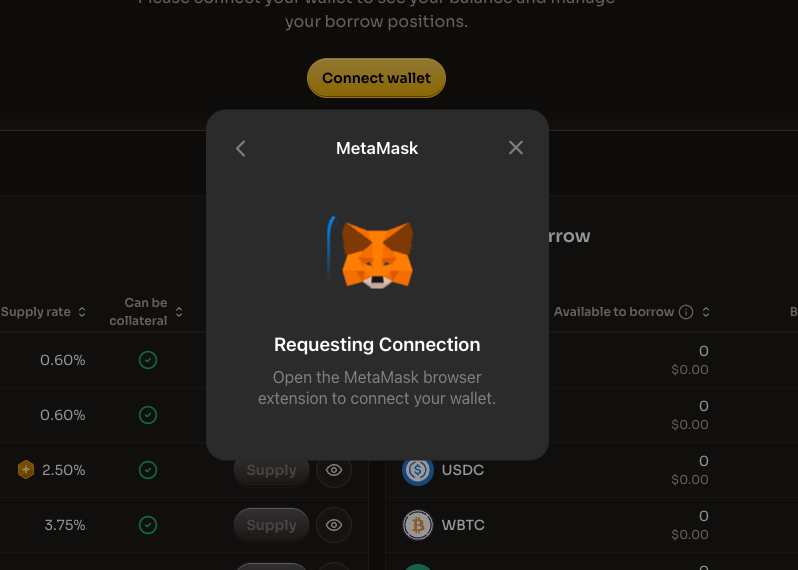
After selecting your wallet, complete the following connection steps:
1. Wallet connection request
Your wallet will prompt you to connect. Open your wallet extension to approve the connection.

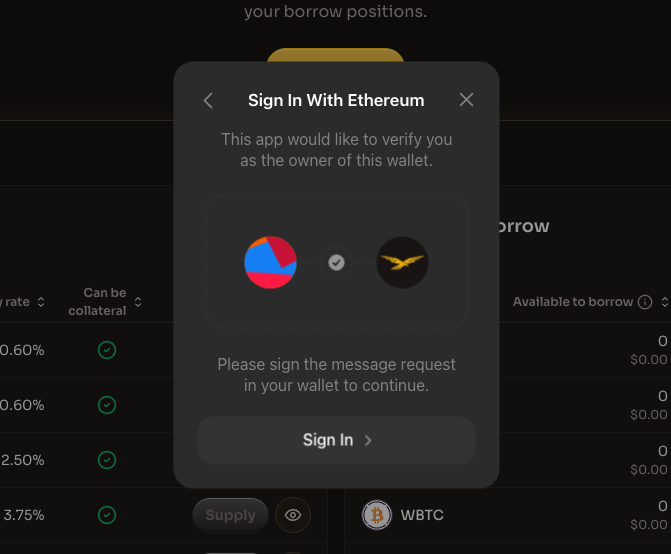
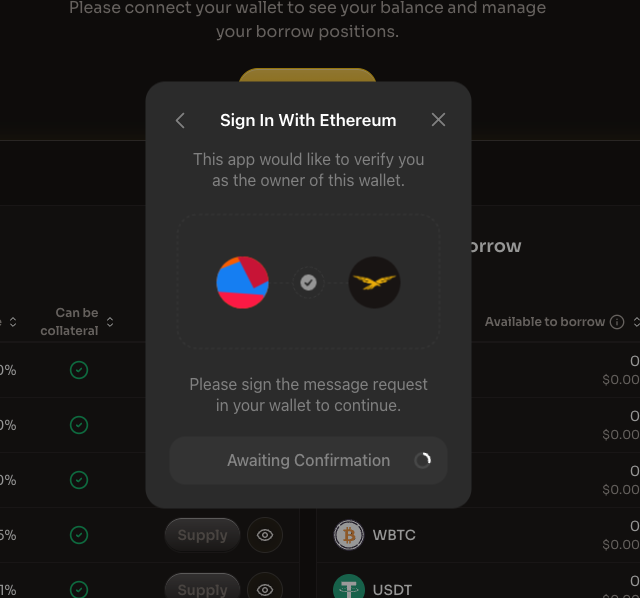
2. Sign in with Ethereum
After connecting, you'll be asked to sign a message to verify wallet ownership. Click "Sign In" to proceed.

3. Awaiting confirmation
The application will wait for you to confirm the signature in your wallet.

Once connected, the dashboard will update to show your personal balances and positions.
Step 3: Ensure you have collateral
Before you can borrow, you must have assets supplied as collateral. Check the "My supplies" section to verify you have supplied assets.
If the "My borrows" section shows "You have no borrow positions" with a message to "first supply collateral," you need to supply assets before proceeding.
Once you have collateral:
Your Total collateral value is displayed in the "My supplies" section
The Available to borrow section shows how much you can borrow of each asset
Step 4: Select the asset to borrow
Navigate to the "Available to borrow" section on the right side of the dashboard. This section shows all assets available for borrowing along with:
Asset
The token name and icon
Available to borrow
Maximum amount you can borrow based on your collateral
Borrow rate
The rate you'll pay on borrowed amounts
Locate the asset you want to borrow and click the Borrow button next to it.

Note: Assets you've supplied as collateral will show "0" available to borrow with a warning icon. You cannot borrow the same asset you've supplied.
Step 5: Enter borrow amount and review
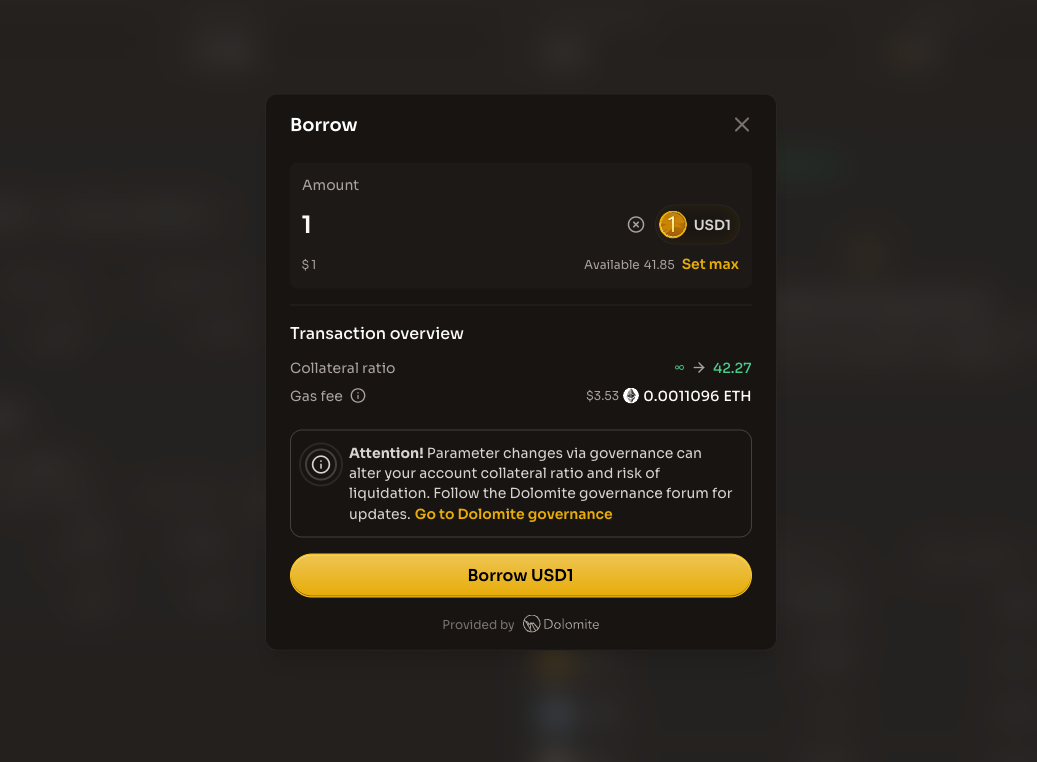
After clicking Borrow, a modal appears where you can specify your borrow details:
Enter the borrow amount
Enter the amount you want to borrow in the input field
The USD equivalent value is displayed below the amount
Click "Set max" to borrow the maximum available amount (not recommended)
Review the transaction overview
Before confirming, carefully review the transaction details:
Collateral ratio
How your collateral ratio will change after borrowing
Gas fee
The estimated transaction cost in ETH and USD

Governance Notice: Parameter changes via governance can alter your account collateral ratio and risk of liquidation. Follow the Dolomite governance for updates.
Step 6: Understand liquidation risk
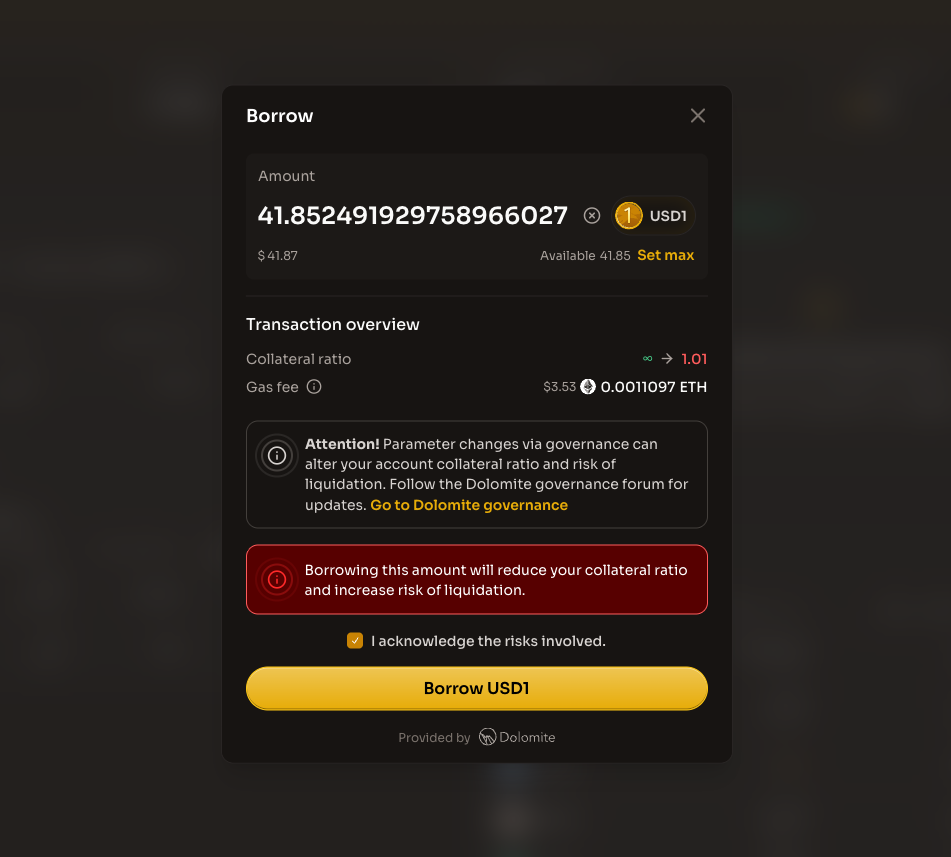
If you attempt to borrow an amount that significantly reduces your collateral ratio, you'll see a liquidation risk warning:
A red warning banner will appear stating "Borrowing this amount will reduce your collateral ratio and increase risk of liquidation"
You must check the "I acknowledge the risks involved" checkbox before proceeding
Your collateral ratio preview will show how close you are to liquidation

Liquidation Warning: A collateral ratio close to 1.0 means you're at high risk of liquidation. Consider borrowing a smaller amount to maintain a safer position.
Step 7: Complete the borrow
Once you've reviewed the transaction details and are comfortable with the risk:
Click the "Borrow [Asset]" button (e.g., "Borrow USD1")
Confirm the transaction in your connected wallet
Wait for the transaction to be processed on the Ethereum network
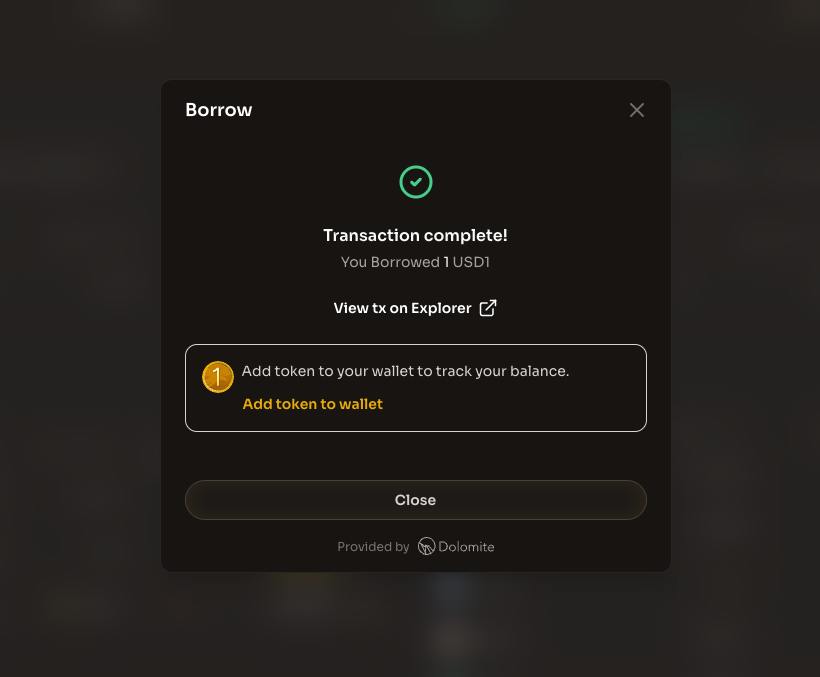
After the transaction is confirmed, you'll see a success message:

Once complete:
The borrowed assets will appear in your wallet
Your borrow position will appear in the "My borrows" section
Your Collateral ratio will update to reflect the new position
The borrow rate will start accruing on your borrowed amount
To add the token to your wallet interface and track your balance, click "Add token to wallet" in the success modal.
Success! You've successfully borrowed assets on WLFI Markets. Remember to monitor your position and repay your loan to avoid liquidation.
Managing Your borrow position
Monitoring your position
After borrowing, regularly check your Dashboard to monitor:
Net worth
Total USD value of your supplied assets minus borrowed assets
Net rate
The combined effect of all supply and borrow positions on net worth, including incentives. It is possible to have a negative net rate if debt rate is higher than supply rate
Collateral ratio
Your collateral ratio and loan to value determine the assurance of your collateral. To avoid liquidations you can supply more collateral or repay borrow positions
E-Mode
Efficiency mode status for optimized stablecoin borrowing
Staying safe
To maintain a safe position:
Keep a buffer: Don't borrow the maximum available. Leave room for price fluctuations
Monitor prices: Watch both your collateral and borrowed asset prices
Add collateral: If your ratio drops, supply more assets to improve it
Partial repay: Reduce your debt to increase your collateral ratio
E-Mode for stablecoins
When borrowing stablecoins against stablecoin collateral, E-Mode may be active. E-Mode (Efficiency Mode) provides:
Higher loan-to-value ratios for correlated assets
More borrowing power when assets have similar price behavior
Optimized parameters for stablecoin-to-stablecoin positions
Learn more about E-Mode.
What's next?
Now that you've borrowed assets from WLFI Markets, you can:
Repay - Pay back your borrowed assets to reduce debt
Supply - Add more collateral to strengthen your position
Withdraw - Remove collateral (if ratio permits)
Activity - Track your transactions and position history
Additional resources
Last updated