Overview
AgentPay SDK is an open source toolkit for building AI agents that can hold, move, and govern USD1 under policy. It gives developers a self-custodial, policy-aware way to turn autonomous systems into economic actors.
The WLF Tools are provided "as is" for developers only. WLFI does not operate, control, or manage any actions, strategies, or transactions initiated by the WLF Tools. See the full Agentic AI Developer Tool – Disclaimer.
AgentPay SDK (Software Development Kit) combines a wallet, policy enforcement, and a single agentpay command-line interface (CLI).
Every wallet created by the SDK is non-custodial. Private keys are generated and stored on the operator's machine. WLFI does not host, custody, or have access to any wallet or key material.
Open source · Self custody · EVM compatible
The main entrypoint is the agentpay CLI, which manages the local daemon, wallet access, balances, policy, transfers, and approvals.
Key features
Local key generation and storage - Private keys are generated and stored on the operator's machine. WLFI cannot access private keys.
Local signing - All transaction signing occurs locally. No keys or signing state leave the machine.
Policy before signing - Every request is evaluated against operator-defined spending policies before the daemon signs. There is no code path that bypasses policy.
Skill pack cannot move funds - The skill pack provides instructions to agent hosts but cannot sign, broadcast, or access wallet state on its own.
No telemetry or phone-home - The SDK sends no data to WLFI or any third party. All state is stored locally.
What the SDK includes
The main entrypoint is the agentpay command-line interface (CLI), used for setup, funding checks, policy, transfers, approval, gift card purchases, and maintenance. Around that CLI, the SDK also includes:
a managed local daemon that holds signing state on the machine
a terminal UI for policy editing, token registration, and destination rules
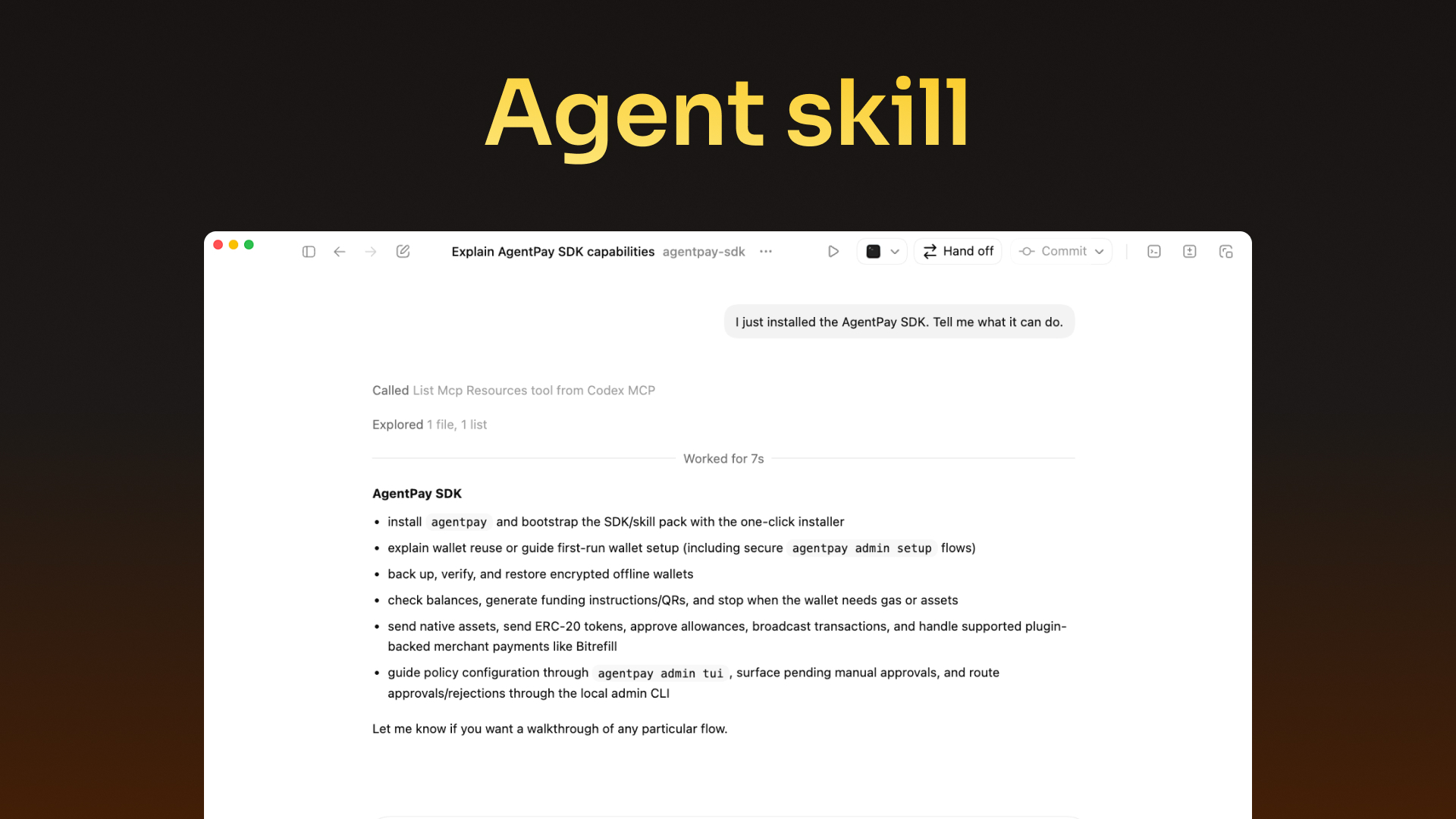
a skill pack for hosts such as Claude Code, Codex, and OpenClaw
Most users do not need every component on day one. The normal adoption path is:
install the CLI
create or reuse a wallet
create an encrypted wallet backup
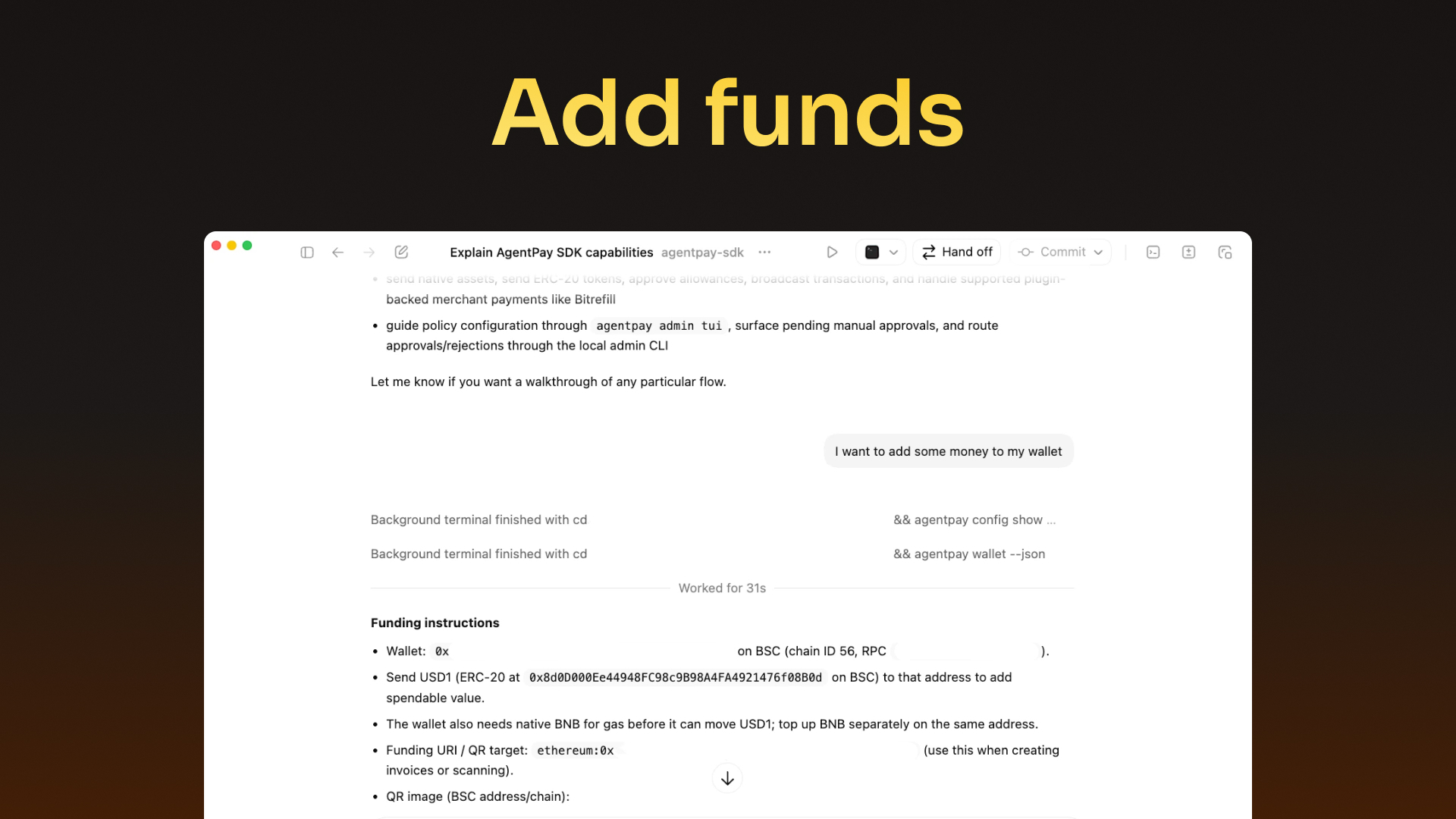
fund the wallet
define policy
add the skill pack if you want to work through an agent host
Supported operating model
The current public setup flow is macOS-first.
This matters because:
wallet setup imports credentials into macOS Keychain
the managed local daemon runs as a root-managed LaunchDaemon
reset and uninstall clean up both user-level and root-managed state
The SDK supports EVM networks. You can operate it directly in a terminal or connect the same wallet flow to a host through the skill pack.
WLFI provides local software tooling. It does not custody user assets, control private keys, or operate a managed wallet service.
Control model
WLFI provides local software only - it does not custody assets, control private keys, or process or transmit funds.
Keys are generated and stored locally. Signing and broadcast happen on your machine.
Policy enforcement always runs before signing. There is no code path that bypasses it.
The SDK charges no platform fees - only blockchain gas fees apply.
No telemetry, analytics, or auto-update mechanisms. All state is stored locally in a single encrypted file.
The SDK is released under the MIT license.
Architecture at a glance
The SDK is built around a simple security model: signing authority stays on the local machine, and policy is evaluated before funds move.
Read the diagram in three layers:
Request layer -
AgentandCLIsubmit requests through Unix domain sockets but cannot access signing state directly.Security boundary -
Vault Daemon(vault-daemon/InMemoryDaemon<B>) enforces policy and holds signing state.Signer(vault-signer) performs the actual cryptographic signing with pluggable backends (macOS Secure Enclave or software). The daemon has no outbound network capability - it returns a signedraw_tx_hexto the CLI, which then broadcasts to the chain RPC.External services -
Chain RPChandles on-chain reads and broadcasts. Only the TypeScript CLI contacts the RPC - the daemon never does.
Config lives on the local machine but is separate from the signing boundary - changing config does not authorize transactions.
Default security controls: vault-password entry, macOS System Keychain storage, encrypted state file. The vault-signer layer supports a macOS Secure Enclave backend (NIST P-256, non-exportable keys) and a software backend (secp256k1). The vault-transport-unix crate enforces IPC security (peer identity checks via euid, secure directory ownership, no symlink traversal). For cryptographic specifications, see Security and cryptographic reference below.
No telemetry, analytics, phone-home, or auto-update mechanisms. All daemon state is persisted to a single encrypted file. No data is transmitted to WLFI or any third party.
Built-in defaults
The SDK includes a small set of built-in chain and token profiles so first use is concrete instead of empty.
Built-in chain profiles:
eth-> chain ID1-> default RPChttps://eth.llamarpc.com(aliases:ethereum,mainnet)bsc-> chain ID56-> default RPChttps://bsc.drpc.org
Built-in token profiles:
usd1onethandbsc->0x8d0D000Ee44948FC98c9B98A4FA4921476f08B0dbnbas the native asset onbscethas the native asset onethereum
A fresh setup starts with no spending policies - configure and apply them explicitly via the TUI or agentpay admin setup flags.
Default example used throughout these docs:
network:
bsctransfer asset:
USD1USD1 contract:
0x8d0D000Ee44948FC98c9B98A4FA4921476f08B0dgas asset:
BNB
The defaults are there to shorten setup. You can override chain and token profiles later.
Simple end-to-end example
The shortest path from install to a live transfer on the default BSC + USD1 example:
If you are using an agent host with the skill pack installed, the same intent can be expressed as:
Recommended reading order
If you are new to the SDK, read in this order:
Use cases - skim before the setup pages so the commands and flags have context
If you are integrating the SDK with an agent host, add Skill pack and Install the skill pack after the install step.
Product in action
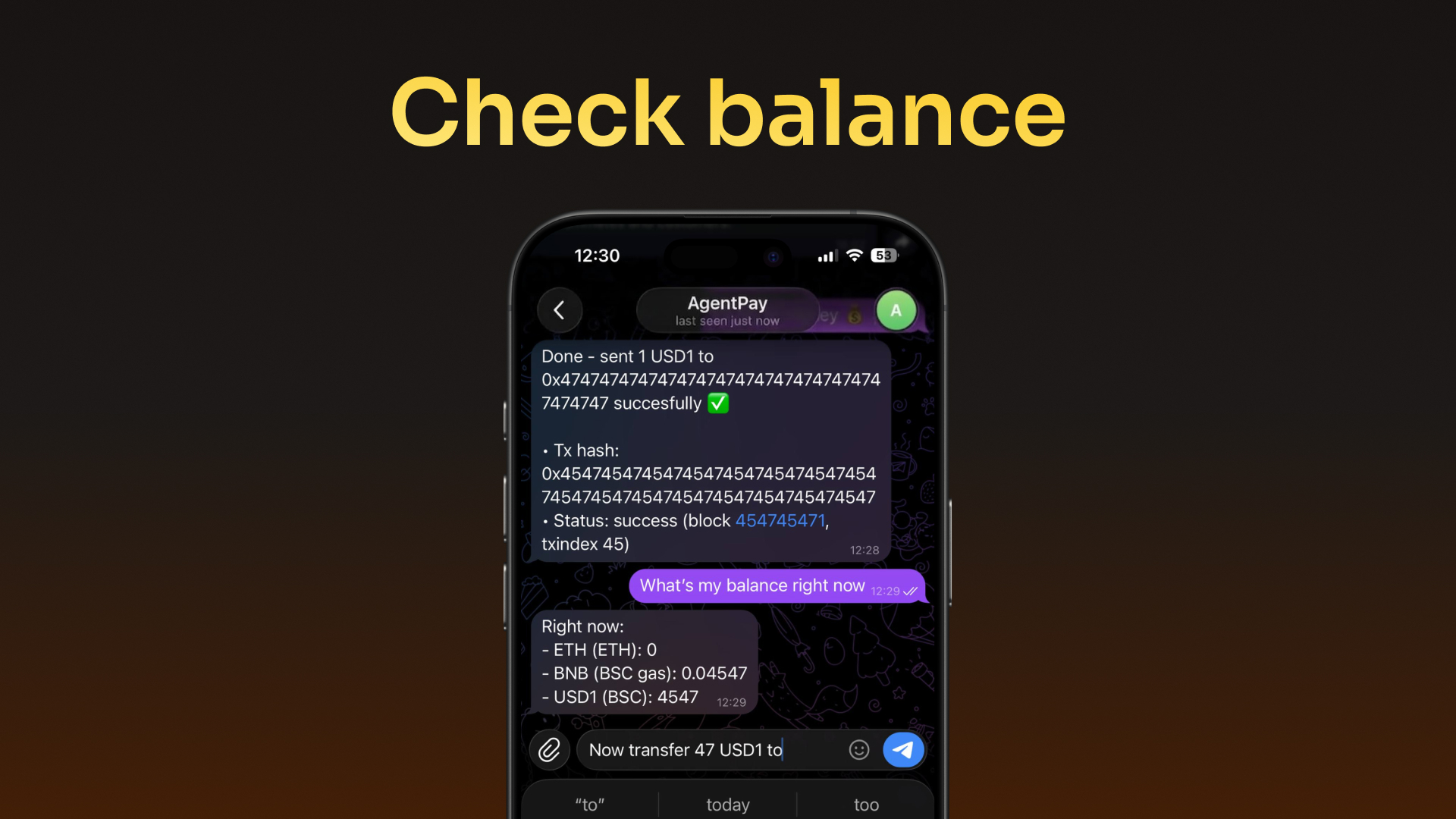
The examples below use BSC and USD1, the default reference configuration.


Next steps
Continue to Install to get the CLI on your machine, then follow the Workflows sequence: wallet setup -> funding -> policy -> transfers.
Security and cryptographic reference
This section covers implementation-level security details. You do not need it to use the SDK.
Admin session leases
Admin operations require an active lease issued by the daemon after password authentication. Leases expire after 30 minutes by default. The daemon supports up to 1,024 concurrent active leases.
Cryptographic details
The encrypted state file uses Argon2id (v0x13, 19 MiB memory, 2 iterations, 1 parallelism) for key derivation and XChaCha20-Poly1305 AEAD encryption with a random 24-byte nonce, re-randomized on every save.
Signer curves
The software signer uses secp256k1 (Ethereum-native). The Secure Enclave backend uses NIST P-256 because Apple's Secure Enclave only supports that curve. The Secure Enclave backend stores keys in the Data Protection Keychain (not System Keychain) with AccessibleAfterFirstUnlockThisDeviceOnly protection. These are different keychains with different security semantics.
Network behavior
In the default local flow, no WLFI infrastructure is required. The daemon communicates locally via Unix domain sockets and the CLI broadcasts to the operator-configured RPC endpoint.
CLI command reference
The agentpay CLI exposes more commands than the workflow pages cover. Below is a quick reference of all major command groups:
agentpay --version
Print CLI version
-
agentpay config show/path/set/unset
Direct config management (valid keys: rpcUrl, chainId, chainName, daemonSocket, stateFile, rustBinDir, agentKeyId)
-
agentpay admin chain list/current/add/remove/switch
Chain profile management
-
agentpay admin token list/show/set-chain/remove/remove-chain
Token profile management
-
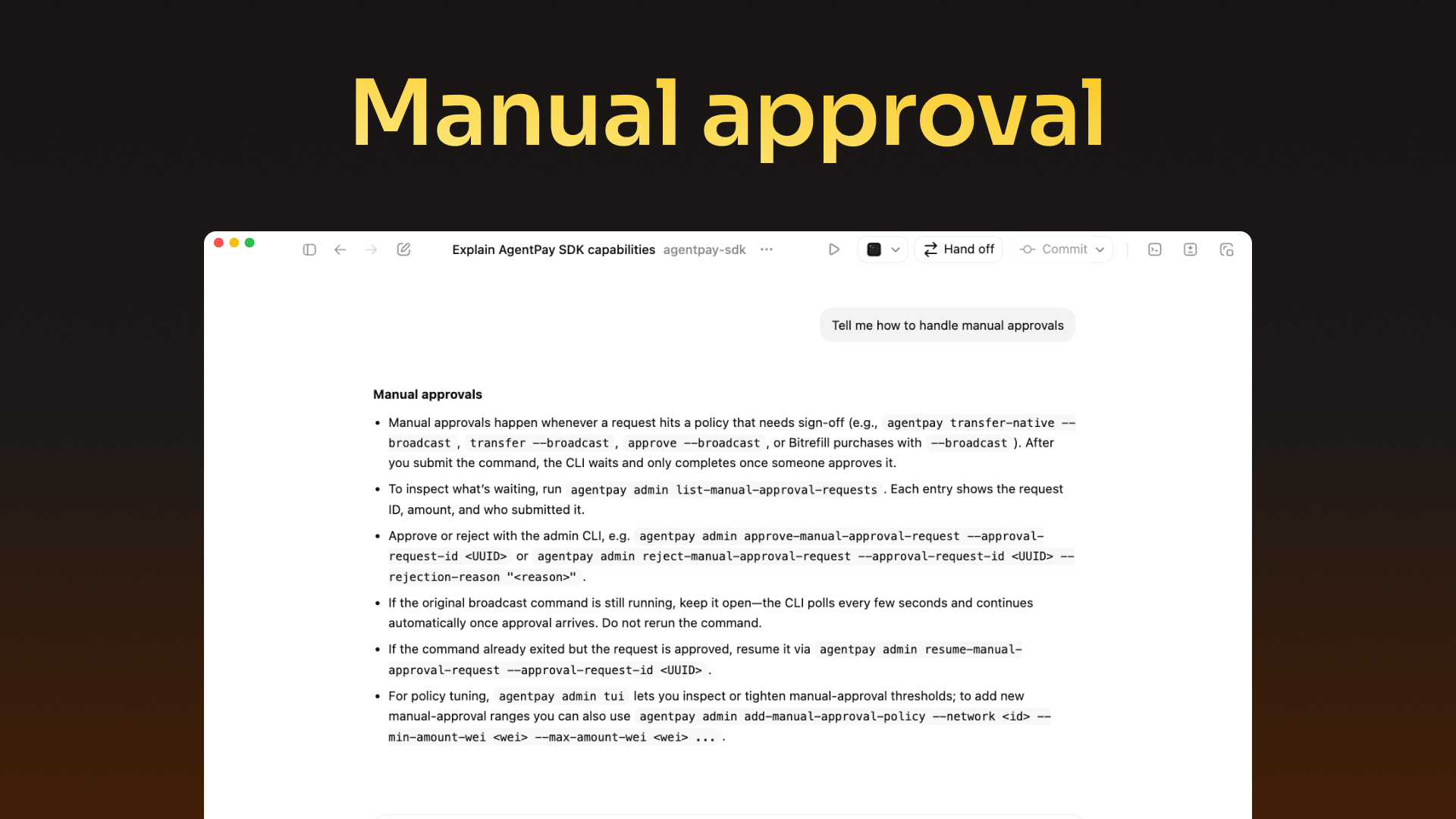
agentpay admin resume-manual-approval-request
Resume an approved manual approval broadcast
agentpay rpc balance/chain/block-number/account/nonce/fees/gas-estimate/tx/receipt/code/broadcast-raw
On-chain RPC queries
-
Commands marked with - do not have a dedicated docs page. Run agentpay <command> --help for usage details.
Last updated